


In today’s hyper-competitive digital marketplace, an advertising video creator has become one of the most powerful tools any brand, marketer, or content strategist can leverage. Whether you’re a small business owner trying to launch your first social media campaign or a seasoned marketing director scaling video ads across multiple platforms, understanding how to craft compelling video advertisements is no longer optional — it’s essential. Research shows that video content generates over 1,200% more shares than text and image content combined, and consumers are 64% more likely to make a purchase after watching a branded video. This comprehensive guide dives deep into everything you need to know about using an advertising video creator, from foundational concepts to advanced production strategies that drive measurable results.
What Is an Advertising Video Creator and Why Does It Matter?
An advertising video creator refers to both the tools and professionals involved in producing video content specifically designed for marketing and promotional purposes. These videos are crafted to capture attention, communicate a brand message, and ultimately drive a specific action — whether that’s a click, a purchase, a sign-up, or brand awareness. The advertising video creator ecosystem encompasses everything from user-friendly drag-and-drop software platforms to professional-grade editing suites used by production agencies.
The importance of advertising video creation cannot be overstated in the current digital landscape. Platforms like TikTok, Instagram Reels, YouTube Shorts, and Facebook Ads have fundamentally changed how brands connect with audiences. Short-form video advertising now dominates feeds, and algorithm-driven platforms prioritize video content over static posts. A well-crafted ad video can cut through the noise, build emotional connections with viewers, and deliver a significantly higher return on investment compared to traditional display advertising.
For beginners, the concept might seem overwhelming — there are thousands of tools, dozens of formats, and countless best practices to navigate. But the core principle remains simple: create a video that tells a story, delivers value, and aligns with your audience’s interests within the first three seconds.
Key Features to Look for in an Advertising Video Creator Tool
When evaluating an advertising video creator platform or software, the features you prioritize will depend on your experience level, budget, and campaign goals. However, certain capabilities consistently separate top-tier tools from mediocre ones. Here are the features that matter most:
Template Library and Customization Options
A strong advertising video creator should offer a robust library of professionally designed templates tailored for different ad formats — from story ads and feed videos to bumper ads and carousel previews. Look for tools that allow deep customization of colors, fonts, branding elements, and transitions so your videos feel unique rather than templated.

AI-Powered Editing and Automation
Modern advertising video creators increasingly incorporate artificial intelligence to streamline production. Features like auto-cut, smart scene detection, background music matching, and AI voiceover generation can reduce production time by up to 70%. If you’re creating high volumes of ad content for multiple platforms, AI-assisted editing is a game-changer.
Multi-Platform Export and Resizing
Each social media platform has its own video specifications — aspect ratios, resolution requirements, maximum file sizes, and optimal lengths. The best advertising video creator tools offer one-click resizing and format export, allowing you to repurpose a single video across Facebook, Instagram, YouTube, TikTok, and LinkedIn without manual re-editing.
Analytics and Performance Tracking Integration
Advanced tools integrate directly with ad platforms and analytics dashboards, giving you real-time data on how your video ads are performing. Look for features like A/B testing capabilities, engagement heatmaps, and conversion tracking so you can continuously optimize your campaigns.
Collaboration and Team Workflow
If you’re working with a team, your advertising video creator should support collaborative workflows — think shared project folders, approval chains, commenting systems, and version control. These features keep creative teams aligned and prevent costly miscommunications.

Top Advertising Video Creator Platforms Compared
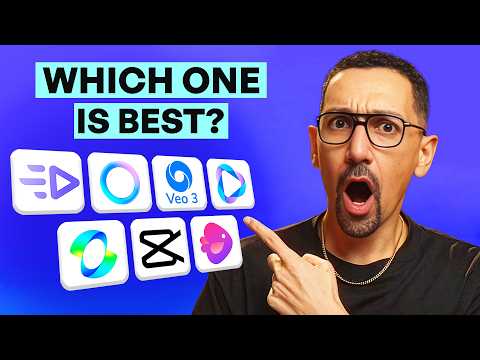
Not all advertising video creator platforms are created equal. Below is a detailed comparison of the leading tools currently available, evaluated across key criteria that matter most to marketers and content creators.
| Platform | Best For | AI Features | Price Range | Learning Curve |
| Adobe Express | Small to mid-size brands | Moderate — auto-resize, template suggestions | Free to $24.99/mo | Low to Medium |
| Canva Pro | Beginners and social media managers | Limited — basic magic resize | $12.99/mo | Very Low |
| InVideo AI | Content creators and agencies | Strong — text-to-video, AI scripting | $25 to $60/mo | Low |
| Veed.io | Podcasters and marketers | Moderate — auto subtitles, AI avatars | $18 to $59/mo | Low |
| CapCut Pro | TikTok and short-form video | Strong — AI effects, auto-captions | Free to $7.49/mo | Medium |
| Adobe Premiere Pro | Professional agencies and filmmakers | Moderate — AI-powered auto-reframe | $22.99/mo | High |
For beginners, platforms like Canva Pro and CapCut offer the most accessible entry points. Intermediate users will benefit from InVideo AI and Veed.io, which balance powerful features with intuitive interfaces. Advanced professionals should strongly consider Adobe Premiere Pro or the full Adobe Creative Cloud suite for maximum creative control and production quality.
How to Create High-Converting Ad Videos: A Step-by-Step Guide
Creating an advertising video that actually converts requires more than just slapping together clips and adding text. Follow this proven framework to maximize your ad video performance:
- Define Your Objective and Audience Clearly. Before opening any software, write down exactly what you want your ad to achieve and who it’s for. Are you driving clicks to a landing page? Building brand awareness? Promoting a limited-time offer? Your objective shapes every creative decision that follows.
- Hook Viewers in the First 1–3 Seconds. The first three seconds of your ad determine whether a viewer keeps watching or scrolls past. Use a bold visual, a provocative question, or an immediate promise of value. Never start with a logo or a slow introduction — that’s a guaranteed way to lose attention.
- Craft a Compelling Narrative Arc. Even a 15-second ad benefits from a micro-story structure. Present a problem, introduce your product or service as the solution, and close with a clear call to action. The best advertising video creators understand that storytelling drives emotional engagement far more effectively than feature lists.
- Optimize for Each Platform’s Format. A video designed for YouTube won’t perform the same way on TikTok. Vertical format (9:16) dominates mobile feeds, while horizontal (16:9) still works for YouTube pre-rolls and website placements. Use your advertising video creator’s resizing tools to adapt content appropriately.
- Add Captions and Visual Text. Over 85% of social media videos are watched without sound. Adding dynamic captions, on-screen text overlays, and visual cues ensures your message lands even in muted environments.
- Include a Strong, Specific Call to Action. Tell viewers exactly what to do next. “Shop the link in bio,” “Start your free trial today,” or “Swipe up to claim your discount” are all far more effective than vague prompts like “Learn more.”
- Test, Analyze, and Iterate. Launch your ad, monitor performance metrics closely, and be prepared to tweak elements — the hook, the thumbnail, the CTA wording, the video length. A/B testing is where the real optimization happens.
Best Practices for Advertising Video Creation
Experienced marketers follow a set of established best practices that consistently yield better results. Here are the principles that separate average ad videos from high-performing ones:
- Keep it short and punchy. For social media ads, aim for 6 to 15 seconds for awareness campaigns and 30 to 60 seconds for consideration and conversion-focused ads.
- Use native-style production. Ads that feel organic and platform-native outperform overly polished corporate videos. Shoot with a smartphone, use natural lighting, and keep the aesthetic authentic.
- Prioritize mobile-first design. Over 70% of video ad consumption happens on mobile devices. Design your videos for small screens first, then scale up.
- Leverage user-generated content (UGC). Ads featuring real customers or authentic testimonials consistently outperform polished brand-produced content. Many modern advertising video creator tools now include UGC-style templates and AI-generated spokesperson features.
- Match the tone to your brand voice. A B2B SaaS company should adopt a different tone than a Gen Z fashion brand. Consistency in voice, color palette, and messaging builds brand recognition over time.
- Include a clear brand identity throughout. Subtle logo placement, consistent color schemes, and recognizable visual elements reinforce brand recall without feeling intrusive.
Common Mistakes to Avoid When Creating Ad Videos
Even experienced marketers make avoidable errors that tank ad performance. Here are the most common pitfalls:
- Ignoring the first three seconds. A slow or confusing opening means most viewers will never see the rest of your message.
- Overloading the video with too much information. An ad is not a landing page. Focus on one key message per video.
- Neglecting mobile optimization. Text that’s too small, graphics that are cropped on vertical screens, or videos that look blurry on mobile devices will dramatically reduce engagement.
- Skipping the call to action. If viewers don’t know what to do next, they’ll simply move on. Always end with a direct and compelling CTA.
- Failing to track performance data. Creating video ads without reviewing analytics is like driving blindfolded. Use platform insights to understand what works and double down on winning formats.
Frequently Asked Questions
What is the best advertising video creator for beginners with no editing experience?
Canva Pro and CapCut are widely regarded as the most beginner-friendly advertising video creator tools available today. Both platforms offer intuitive drag-and-drop interfaces, pre-designed templates specifically optimized for ad campaigns, and extensive tutorial libraries that guide new users through the entire video creation process — from selecting a template to exporting in the correct format for your target platform.
How long should an advertising video be for maximum engagement?
The ideal length depends on your platform and campaign objective. For Instagram Reels, TikTok, and YouTube Shorts, aim for 6 to 15 seconds for awareness ads and 30 to 60 seconds for conversion-oriented content. On Facebook and LinkedIn, ads between 15 and 30 seconds tend to perform best. The key principle is to make every second count — if your message is delivered effectively in 6 seconds, don’t stretch it to 30 just because that’s the “recommended” length.
Can an AI advertising video creator replace a professional video editor?
AI-powered advertising video creator tools have become remarkably sophisticated and can handle a significant portion of the production process — from script generation and scene selection to auto-editing and format optimization. However, they currently lack the nuanced creative judgment, emotional storytelling instinct, and brand strategy depth that experienced human editors bring to the table. The most effective approach combines AI efficiency with human creative oversight, using automated tools for bulk production while reserving human editing for campaigns that demand a higher level of creative polish and strategic alignment.
What file formats and specifications should I export from my advertising video creator?
For most social media advertising platforms, export your videos in MP4 format with H.264 encoding. Vertical videos should use a 9:16 aspect ratio at 1080×1920 resolution, while horizontal ads should be 16:9 at 1920×1080. Keep file sizes under platform-specific limits — typically under 4GB for Facebook and Instagram, and under 256MB for TikTok. Always maintain a frame rate of 30fps for smooth playback across all devices.
How much does it cost to create advertising videos using a video creator tool?
Costs vary widely depending on the platform and features you need. Free-tier tools like basic Canva and CapCut can produce professional-quality ads at zero cost. Mid-range platforms such as InVideo AI and Veed.io typically charge between $15 and $60 per month. Professional-grade software like Adobe Premiere Pro ranges from $23 to $55 monthly depending on the plan. If you’re outsourcing to a production agency, expect costs between $500 and $5,000+ per video depending on complexity, talent, and production value. For most small to mid-size businesses, a subscription-based advertising video creator tool offers the best balance of quality and cost efficiency.
Conclusion
The advertising video creator landscape has evolved dramatically, and the tools available today make it possible for anyone — regardless of technical skill or budget — to produce compelling video advertisements that drive real business results. Whether you’re just starting out with a free Canva account or investing in enterprise-grade software like Adobe Premiere Pro, the fundamentals remain the same: know your audience, lead with a powerful hook, tell a concise story, and always end with a clear call to action. By combining the right advertising video creator tool with strategic thinking and data-driven optimization, you can build video ad campaigns that not only capture attention but convert viewers into loyal customers. Start experimenting, test relentlessly, and let the analytics guide your creative decisions — that’s the formula that separates average ads from campaigns that genuinely move the needle.