


If you have ever wondered how your competitors are spending their advertising budgets or how to verify the legitimacy of a brand running promotions online, the biblioteca de anuncios google—known globally as the Google Ads Library—is an absolute game-changer. This powerful transparency tool offers an unprecedented window into the digital advertising landscape, providing marketers, researchers, and everyday users with a searchable archive of active and inactive advertisements across Google’s vast ecosystem. For businesses, it is an essential resource for ad transparency and ensuring that the ads you see align with current brand practices. For marketers, it is the ultimate spyglass into competitor strategies, revealing exactly which messages resonate with target audiences. The library was established to foster trust in digital advertising, making it easier to identify misleading promotions or understand the complex political ad landscape. Understanding how to navigate and leverage this resource is critical for staying ahead.
What Is the Google Ads Library and Why Does It Matter?
The Google Ads Library serves as the central repository for advertisements that have run or are currently running on Google platforms. This comprehensive archive includes search ads, display banners, video commercials on YouTube, and app promotion assets. Unlike traditional tools, this library provides full creative assets. For businesses, it is an essential resource for ad transparency and ensuring that the advertisements you encounter daily align with current brand practices and legal standards. For marketers, it is the ultimate spyglass into competitor strategies, revealing exactly which messages resonate most effectively with target audiences. The library was established to foster trust in the digital ecosystem, making it significantly easier to identify misleading promotions or uncover deceptive practices. By utilizing this tool, you gain a distinct advantage in understanding market trends and consumer behavior without having to guess what works and what doesn’t.
Getting Started with the Search Interface

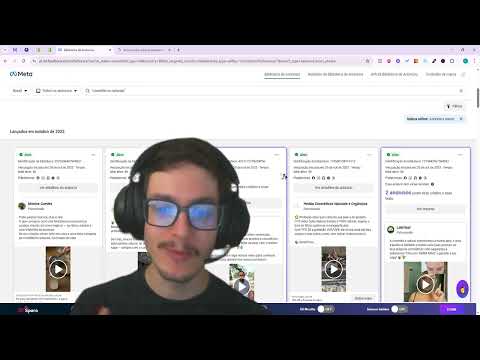
Navigating the Google Ads Library is straightforward, even for beginners. You do not need a Google Ads account to access the vast majority of its features. Simply visit the dedicated transparency portal, type the brand name or specific topic into the search bar, and you will instantly be presented with a dynamic grid of current and archived advertisements. You can filter results by country, platform, and ad type, allowing you to drill down into hyper-specific demographics or geographic regions. This interface ensures anyone can uncover the marketing strategies of global corporations and local businesses. When reviewing search results, pay close attention to the date ranges provided. The library shows you exactly when an ad was active, which is crucial for understanding campaign lifecycles. If an ad disappears, it might have been paused, completed, or removed for violating strict platform policies. By regularly monitoring your own brand or industry rivals, you can keep a pulse on market shifts without spending a single dollar on expensive third-party competitive intelligence software.
Advanced Competitive Research Strategies Using the Ad Library
Stealing Winning Creatives and Copy
Once you have mastered the basics, the real magic happens when you start using the library for advanced competitive research. Instead of guessing what might work, you can look directly at what is currently driving traffic for your competitors. Use the search filters to isolate specific ad formats. For instance, if a rival is dominating video ads on YouTube, you can view their exact video creatives, study their opening hooks, and analyze their call-to-action placements. Experts recommend creating a systematic approach to this research. Do not just browse randomly; build a dedicated spreadsheet to track which competitors are using which messaging angles. Look for patterns in the ad creative assets they emphasize. Are they heavily discount-driven? Are they leveraging user-generated content? Are they focusing on emotional storytelling or hard data? By cataloging these observations, you can reverse-engineer their success and adapt these proven tactics to fit your unique brand voice and budget.
Analyzing Political and Social Issue Ads
One of the most critical functions of the Google Ads Library is its rigorous tracking of political and social issue advertisements. These ads require additional transparency disclosures, including a “Paid for by” tag and detailed spending reports that are publicly accessible. During election cycles or major social movements, this section of the library becomes a vital tool for journalists, policy analysts, and the general public. You can see which organizations spend heavily on specific regions. This level of transparency is not just about regulation; it is about empowering citizens and marketers alike to understand the influence operations happening in their feed.
Practical Recommendations and Expert Tips for Maximizing Value
To get the most out of the Google Ads transparency center, you need to adopt a strategic mindset. Here are some expert tips to elevate your usage:
- Set up regular alerts: Make it a habit to review the library weekly for your direct competitors. Trends in ad copy, visual design, and promotional offers change rapidly, and staying current prevents you from falling behind the curve.
- Download bulk reports: If you are managing a large-scale competitive analysis, use the download feature to export data into spreadsheets for deeper offline analysis. This allows you to cross-reference ad copy with landing page performance metrics.
- Compare active vs. archived ads: Looking at an ad that has been paused or completed can reveal a campaign that underperformed, giving you valuable insight into what you absolutely should not do in your own strategy.
- Inspect destination URLs: Always click through or inspect the landing pages linked in the advertisements. This reveals the actual offer behind the creative, helping you understand their conversion funnel and value proposition strategy.
- Monitor policy violations: Keep an eye on ads that have been removed. This can highlight shifting platform policies or emerging restrictions in your industry that you need to adapt to immediately.
Google Ads Library vs. Third-Party Ad Monitoring Tools
While the native library is incredibly powerful and free, it is important to understand how it stacks up against premium platforms. Here is a comprehensive comparison to help you decide exactly where to invest your research time and advertising budget.
| Feature | Google Ads Library | Third-Party Tools |
| Cost | Completely free to use | Often requires expensive monthly subscriptions |
| Data Depth | Official Google data only | Aggregates data across multiple platforms (e.g., Meta, TikTok) |
| Historical Archive | Limited historical window for archived ads | Typically offers deeper historical trend analysis |
| Ease of Use | Native interface, no setup required | Requires account creation and learning curve |
| Competitive Alerts | No automated alerting system | Sends notifications when competitors launch new ads |
Conclusion: Making the Google Ads Library Your Secret Weapon
The Google Ads library is far more than just a transparency compliance tool; it is a goldmine of actionable marketing intelligence. By dedicating consistent time to explore its archives, analyze creative formats, and monitor policy enforcement, you equip yourself with a distinct competitive edge that most marketers overlook. Whether you are a small business owner trying to stretch a tight budget, an agency looking to impress clients with lightning-fast competitive reports, or a large enterprise defending your market share, this free resource delivers unparalleled insights. Embrace the transparency, learn from the best in your industry, and let the data guide your next campaign to unprecedented success.
Frequently Asked Questions
How do I access the biblioteca de anuncios google to spy on competitors effectively?
You can access the Google Ads Library directly through your web browser without needing an active Google Ads account. Simply navigate to the official transparency center, enter the competitor’s name into the search bar, and apply filters for your specific region. This allows you to see their current active advertisements, archived creatives, and the exact platforms where they are running these campaigns.
What types of advertisements are included in the Google Ads transparency center?
The library archives a wide variety of ad formats, including text-based search ads, display banner advertisements, YouTube video commercials, and app promotion ads. It also strictly includes political ads and ads dealing with social issues, which come with additional transparency labels detailing the funding source, spending totals, and targeting criteria used by the advertiser.
Can I download reports from the Google Ads ad library for offline analysis?
Yes, you can download the visible ad data directly from the library interface. This feature allows you to export current advertisements, creative assets, and destination URLs into spreadsheets. This is incredibly useful for conducting deep-dive competitive analyses or tracking how a specific brand’s messaging evolves over time, allowing you to benchmark your own creative strategies against industry leaders.
Why was my advertisement removed from the biblioteca de anuncios google?
If your ad or a competitor’s ad has disappeared from the library, it is usually due to a violation of Google’s advertising policies, the completion of a scheduled campaign, or the advertiser manually pausing or deleting the ad. Ads that breach guidelines regarding misleading content, prohibited products, or intellectual property theft are immediately pulled from the active index to maintain platform integrity.
Is the Google Ads Library available globally for all countries?
The library is available globally, but the ads you see are filtered based on your selected country or region. You can change the geographical filter in the search interface to view advertisements targeted specifically to the United States, the United Kingdom, or any other region where Google serves ads. This ensures your competitive research is highly localized and relevant to the market conditions you are operating within.
How often does the Google Ads Library update its archived advertisements?
The library updates its database continuously as ads are served, paused, or removed by advertisers. New advertisements appear in the library shortly after they begin running, while older ads that are no longer active are moved into the archived section. This real-time updating process ensures that researchers always have access to the most current competitive intelligence and historical campaign data available.